There are five main types of queue management systems, each handling customer flow in a different way:
- Linear (take-a-number): customers take a physical ticket and wait to be called by number
- Virtual queuing: customers join a queue remotely via QR code, SMS, or a web link and wait from anywhere
- Appointment-based: customers book a time slot in advance and arrive at their scheduled time
- Mobile app-based: a dedicated app handles check-in, queue position, and notifications
- Hybrid multi-channel: one unified queue accepts customers from all channels simultaneously
Choosing the wrong type does not just affect customer experience. It also determines how much operational visibility you have. A linear system tells you how many tickets were issued. A hybrid system tells you who waited, how long, for which service, at which counter, and whether they left without being served.
This guide covers all five types, how each works, where each fits, and what to consider when deciding which one belongs in your operation.
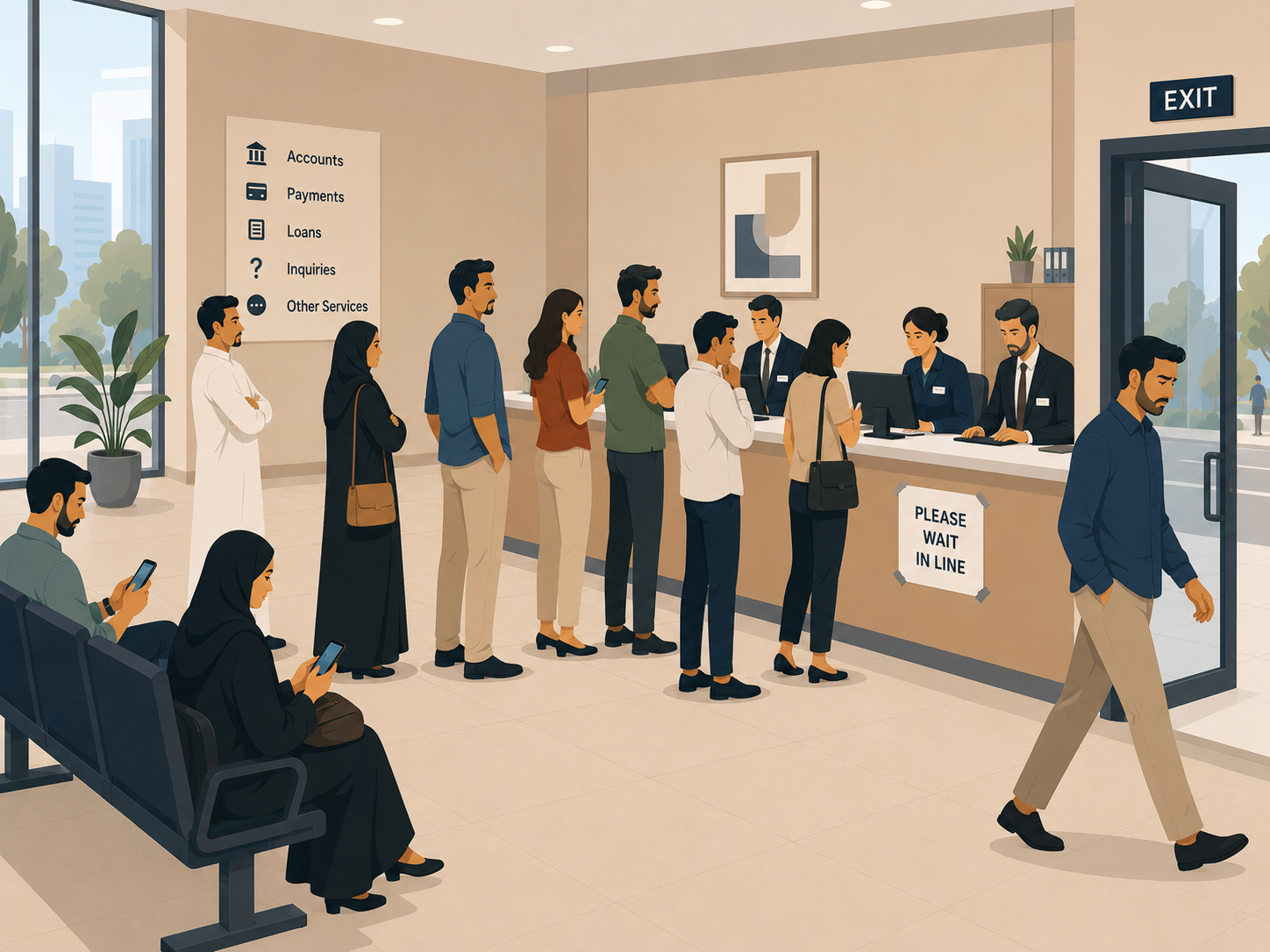
The customers who cost you most are not the ones who complain about the wait. They are the ones who leave before they are called, and never appear in your data at all.
The 5 Types of Queue Management at a Glance
Before diving into each type, here is a quick overview. The five types differ primarily in how customers check in and how much data the system captures:
- Linear: Customers take a physical ticket and wait to be called by number.
- Virtual: Customers join a queue remotely via QR code, SMS, or a web link and wait from anywhere.
- Appointment-based: Customers book a time slot in advance. They arrive at their scheduled time with no waiting required.
- Mobile app-based: A dedicated app handles check-in, queue position, and notifications.
- Hybrid / multi-channel: One unified queue accepts customers from any channel simultaneously.
Each type sits at a different point on a spectrum from simple to comprehensive. Understanding where your operation sits on that spectrum is the starting point for choosing correctly.
What Is a Linear Queue Management System?
A linear queue management system, also called a take-a-number system, is the most traditional type. Customers take a physical ticket from a dispenser and wait until their number appears on a display screen.
The setup is straightforward: a ticket dispenser issues sequential numbers, a counter display shows the current number being served, and a staff member calls the next customer manually or through a speaker. There is no routing logic, no remote check-in, and no data capture beyond the number of tickets issued.
Where linear systems work well
Linear systems are effective for small, single-service locations with a predictable volume of customers. A pharmacy counter, a post office branch, or a retail returns desk each handles one type of service. In these environments, the simplicity of the linear system is actually an advantage. There is no software to configure, no app for customers to download, and no learning curve for staff.
Where linear systems fall short
The main limitation is data. A linear system cannot tell you how long each customer waited, which service they needed, whether they left before being served, or how your staff performed. Because no timer runs between ticket issuance and service completion, you manage the operation on observation rather than measurement. Furthermore, linear systems do not scale well to multi-service environments. If your location handles account openings, complaints, and document submissions, a single sequential queue creates bottlenecks at busy services and idle counters at quiet ones.
What Is a Virtual Queuing System?
A virtual queuing system lets customers join a queue remotely without being physically present. Instead of taking a ticket and waiting in a room, customers scan a QR code, send an SMS, or follow a web link to register their arrival. The system assigns them a position and sends real-time updates. They only need to return to the branch when their turn approaches.
Because customers are not standing in the waiting area, crowding is reduced. For operations managing high volumes or limited waiting space, this makes a significant practical difference.
How virtual queuing works in practice
A customer arrives at a branch and sees a QR code on a sign or display. They scan it with their phone, select their service type, and receive confirmation that they are 8th in line with an estimated wait of 22 minutes. They leave to get coffee or wait in their car. When they reach 2nd in line, the system sends a notification. They return, check in at the counter, and are served within minutes.
Throughout this flow, the system captures their arrival time, service type, actual wait time, and whether they showed up when called. As a result, operations managers have full visibility into customer behavior, not just ticket counts.
Considerations for virtual queuing
Virtual queuing works best when customers have smartphones and reliable data connectivity. For demographics where this cannot be guaranteed, virtual queuing needs to be paired with another check-in method to ensure no customer is excluded.
What Is an Appointment-Based Queue Management System?
An appointment-based system lets customers book a time slot in advance through a web portal, app, or phone call. Instead of waiting upon arrival, customers come at their scheduled time and are served with little or no wait. The queue is managed before the customer even walks in.
This type works best for services that can be planned in advance: a routine banking appointment, a government registration, or a scheduled healthcare consultation. In these contexts, the appointment model maximizes staff utilization because demand is predictable and can be spread across the day.
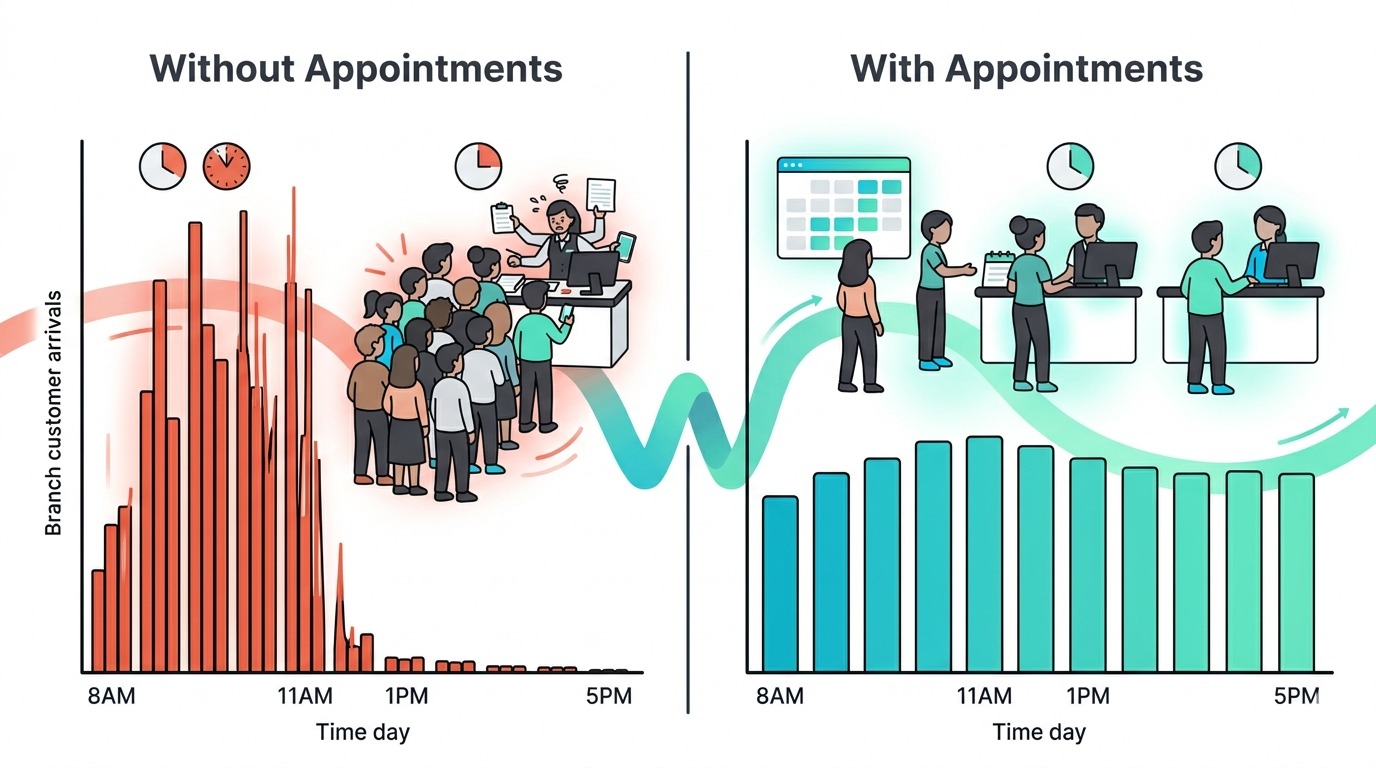
Smoothing out the lopsided operational day
One of the most practical applications of appointment-based systems is demand smoothing. Most service operations are not evenly distributed across the day. Mornings are chaotic, afternoons are quiet, and staffing rarely matches either. An appointment system lets you address this directly. Because you control which time slots are available for booking, you can restrict appointments during peak walk-in hours and open them during historically quiet periods.
In practice, this means the afternoon fills with scheduled customers instead of sitting idle, while your morning rush is handled by walk-in capacity without the added pressure of booked appointments arriving simultaneously. Over time, a well-configured appointment system turns an uneven operational day into a structured one where demand is distributed, counters stay active across all hours, and staff know what to expect before the day begins.
How appointment systems handle walk-ins
Most appointment-based systems can be configured to accept walk-in customers in slots between scheduled appointments. However, this requires careful management. If walk-in volume is unpredictable or high, the appointment model alone may not be sufficient. Many organizations therefore run appointment-based booking alongside a virtual or hybrid check-in system to handle both planned and unplanned visits.
The advantages of appointment booking
Because customers register in advance, an appointment system captures service type, expected duration, and customer identity before anyone arrives. This allows staff to prepare, resources to be allocated correctly, and management to forecast the day’s demand with confidence. Consequently, appointment-based systems tend to produce some of the highest staff utilization rates of any QMS type.
The day-to-day operational benefits follow from this visibility. Branch managers start the day knowing how many customers are coming, which services they need, and roughly when each will arrive. Staffing decisions shift from reactive to planned. Counter assignments are made ahead of time. And because customers arrive when expected rather than in unpredictable surges, the gap between appointment time and actual service time shrinks significantly.
What Is a Mobile App-Based Queue Management System?
A mobile app-based system delivers the entire queue experience through a dedicated smartphone application. Customers download the app, select their branch and service, and join a live queue or book a time slot. Push notifications handle all communication: position updates, wait time estimates, and alerts when their turn is approaching.
This type is particularly well-suited to organizations with a repeat-visit customer base. Banks, telecom operators, and healthcare networks often deploy app-based systems because their customers already use a brand app for other purposes. Adding queue management to an existing app creates a seamless experience without requiring a separate download.
Strengths of mobile app-based systems
App-based systems offer the richest customer experience of any single-channel type. Push notifications are more reliable than SMS, and the app can display real-time queue position in a clear, branded interface. Additionally, because the app requires login, the system can track individual customer history, flag VIP customers, and surface preferences to staff before the interaction begins.
Limitations to consider
The primary limitation is the app download requirement. Customers who have not downloaded the app cannot use this channel, which creates friction for new visitors or customers who do not regularly use smartphones. Furthermore, maintaining an app across iOS and Android platforms adds development overhead. For organizations that cannot commit to ongoing app maintenance, a web-based or QR-based virtual queuing system is often more practical.
What Is a Hybrid Multi-Channel Queue Management System?
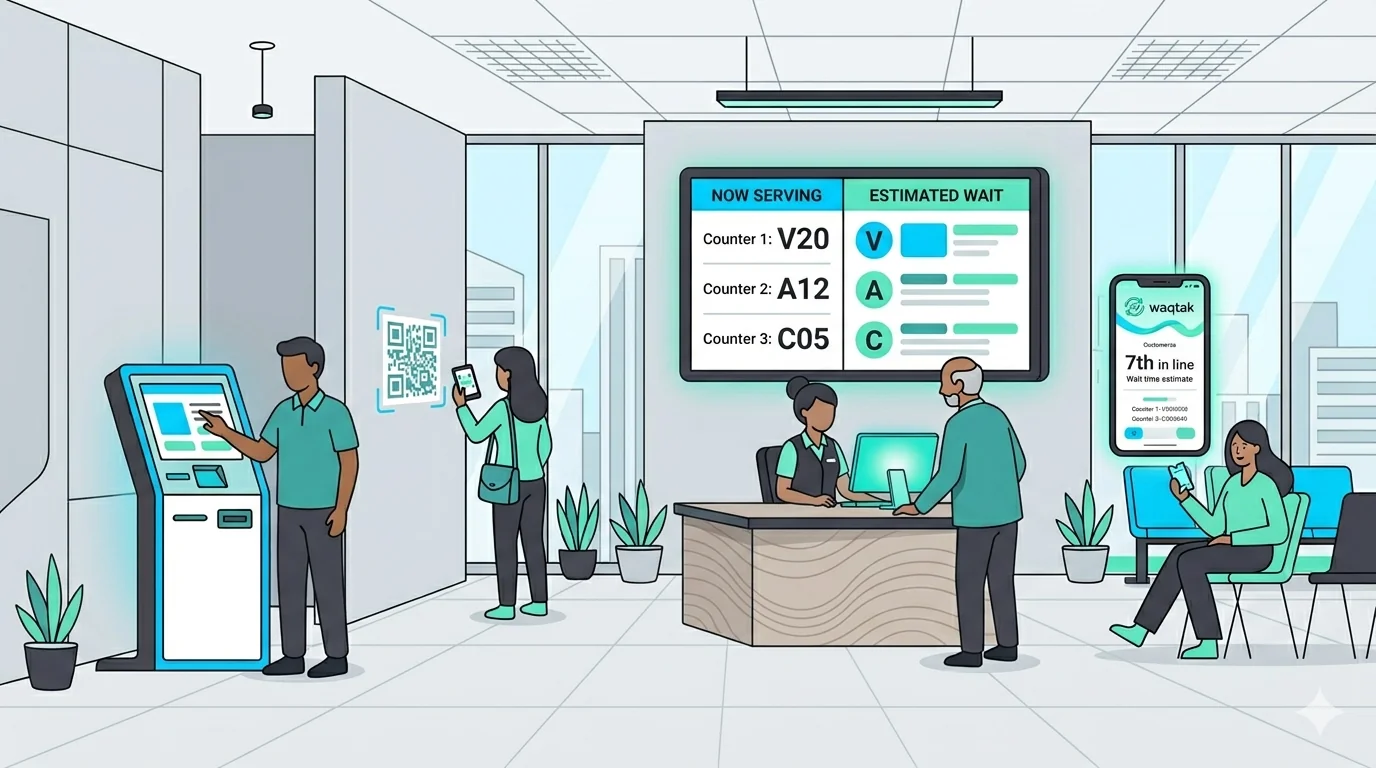
A hybrid multi-channel system combines multiple check-in methods into a single unified queue. Customers can check in through a self-service kiosk, scan a QR code, send an SMS, open a mobile app, or speak to a receptionist. Regardless of how they enter, they join the same queue. The routing logic, counter assignment, and management dashboard treat all channels equally.
This is the most comprehensive type of queue management system and is the standard choice for multi-branch, multi-service organizations managing diverse customer populations.
Why hybrid systems are becoming the default
No single check-in channel works for every customer. An elderly customer may prefer speaking to a receptionist. A busy professional may scan a QR code from the parking lot. A regular customer may use the app. A first-time visitor may use the kiosk. A hybrid system handles all four without requiring any customer to change their behavior.
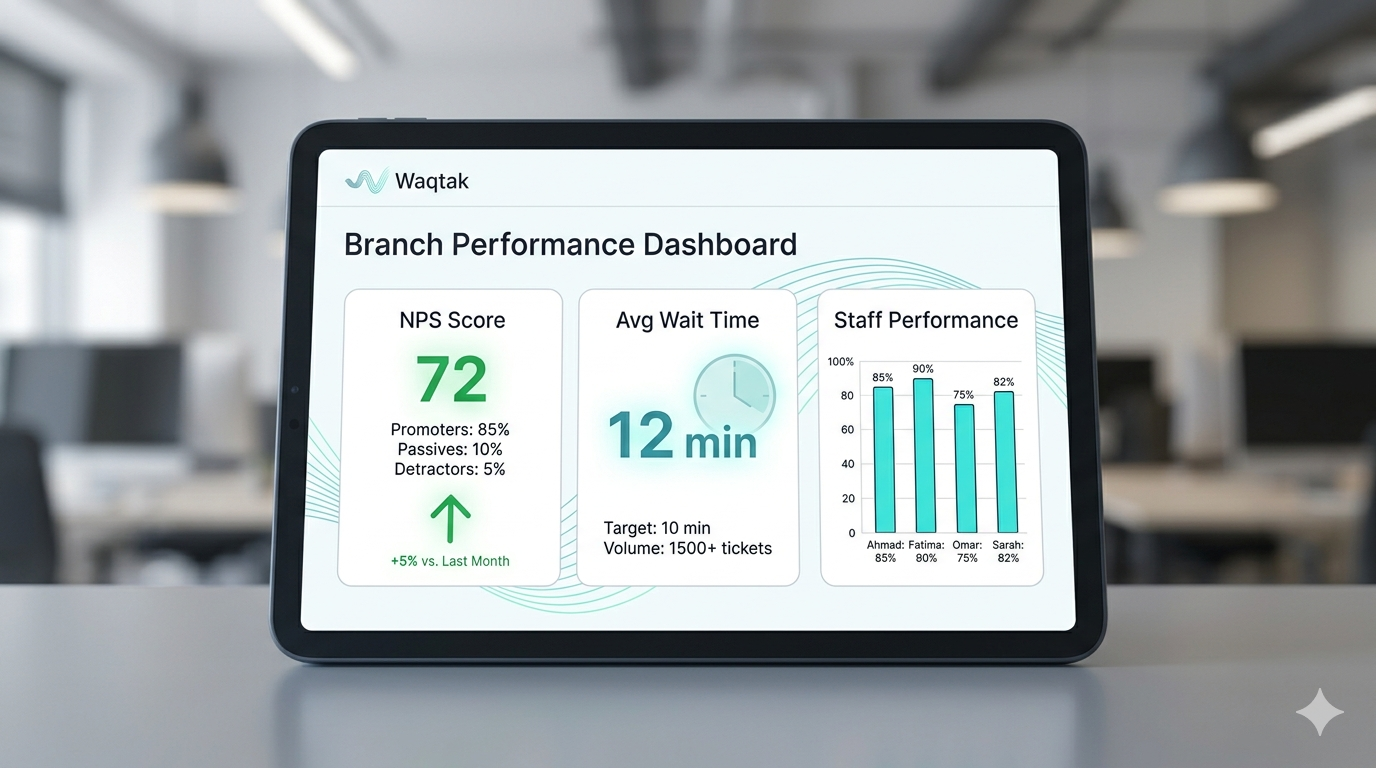
From an operations perspective, all channels feed the same data pipeline. As a result, managers see a complete picture of customer flow regardless of how customers arrived. Wait times, service durations, walkouts, and staff performance are all tracked in one place, across every branch.
What to plan for with hybrid systems
Hybrid systems require more initial configuration than single-channel types. Each channel must be set up, integrated, and tested. Staff need to understand how to manage the unified queue and how to handle customers who arrive through different channels. However, most organizations that start with one channel add others within 12 to 18 months. Deploying a hybrid system from the start avoids re-implementation costs later.
How the 5 Types Compare
The table below summarizes the key differences across all five types. Use it as a quick reference when evaluating which system fits your operational requirements.
Which Type Fits Your Operation?
The right type depends on three factors: how complex your service offering is, how diverse your customer demographics are, and how much operational data you need to make decisions.
Start with a linear system if:
You run a single location, handle one or two service types, have a predictable and manageable volume, and do not need detailed operational reporting. Linear systems are the right choice when simplicity is genuinely a feature, not a compromise.
Consider virtual or appointment-based if:
Your customers have smartphones, your waiting area has limited capacity, or your service types can be scheduled in advance. Virtual queuing, in particular, is a strong upgrade from linear systems because it preserves walk-in flexibility while adding full data capture and eliminating physical crowding.
Choose mobile app-based if:
Your customers already use a brand app and your organization can commit to app maintenance. This type offers the richest single-channel experience, but it requires an ongoing investment in development and support. It works best as one channel inside a hybrid system rather than as a standalone solution.
Choose hybrid if:
You manage multiple branches, multiple service types, or a customer base that includes diverse demographics. Hybrid systems are more complex to set up, but they are the only type that handles every customer, captures every interaction, and scales without requiring a system replacement as your operation grows. Because the trend across most industries is toward hybrid, starting with a platform that supports multiple channels from day one is typically more cost-effective than migrating later.
Key Takeaways
- The five main types of queue management systems are linear, virtual, appointment-based, mobile app-based, and hybrid multi-channel.
- Linear systems are lowest cost and easiest to deploy, but capture minimal data and do not scale to multi-service environments.
- Virtual, appointment-based, mobile, and hybrid systems all capture full operational data: wait times, service durations, walkout events, and staff performance.
- The key differentiator is channel flexibility. Hybrid systems accept customers from any check-in method into one unified queue, making them the most accessible and data-complete option.
- Choosing a system that supports multiple channels from the start avoids costly re-implementation as your operation expands.
- For most multi-branch, multi-service operations, a hybrid system is the practical standard.
Waqtak is a cloud-based queue management system built for multi-branch service organizations.
What Your Operation Loses Without a Queue Management System
Right now, someone is walking into one of your branches. They will look around, figure out where to…
How to Choose the Right Queue Management System
Most organizations approach this decision the wrong way. Features get evaluated before requirements are understood. Price gets compared…
The Benefits of a Queue Management System
A queue management system does two things at once: it organizes your customer flow and generates the data…
Want to see how this works in practice?
Book a personalized demo and we will walk you through how Waqtak closes these blind spots for an operation like yours.
Book a Demo