Most organizations approach this decision the wrong way. Features get evaluated before requirements are understood. Price gets compared before fit is confirmed. A demo gets scheduled before the vendor’s support model has been stress-tested. The result is a system that looks good in a presentation and underperforms in the field.
Knowing how to choose a queue management system before you speak to a single vendor changes the entire dynamic. This guide gives you a structured framework, six evaluation criteria, and a 17-point checklist so that your selection is driven by operational requirements, not by whoever had the most polished sales deck.
The customers who cost you most are not the ones who complain about the wait. They are the ones who leave before they are called, and never appear in your data at all.
What Is a Queue Management System?
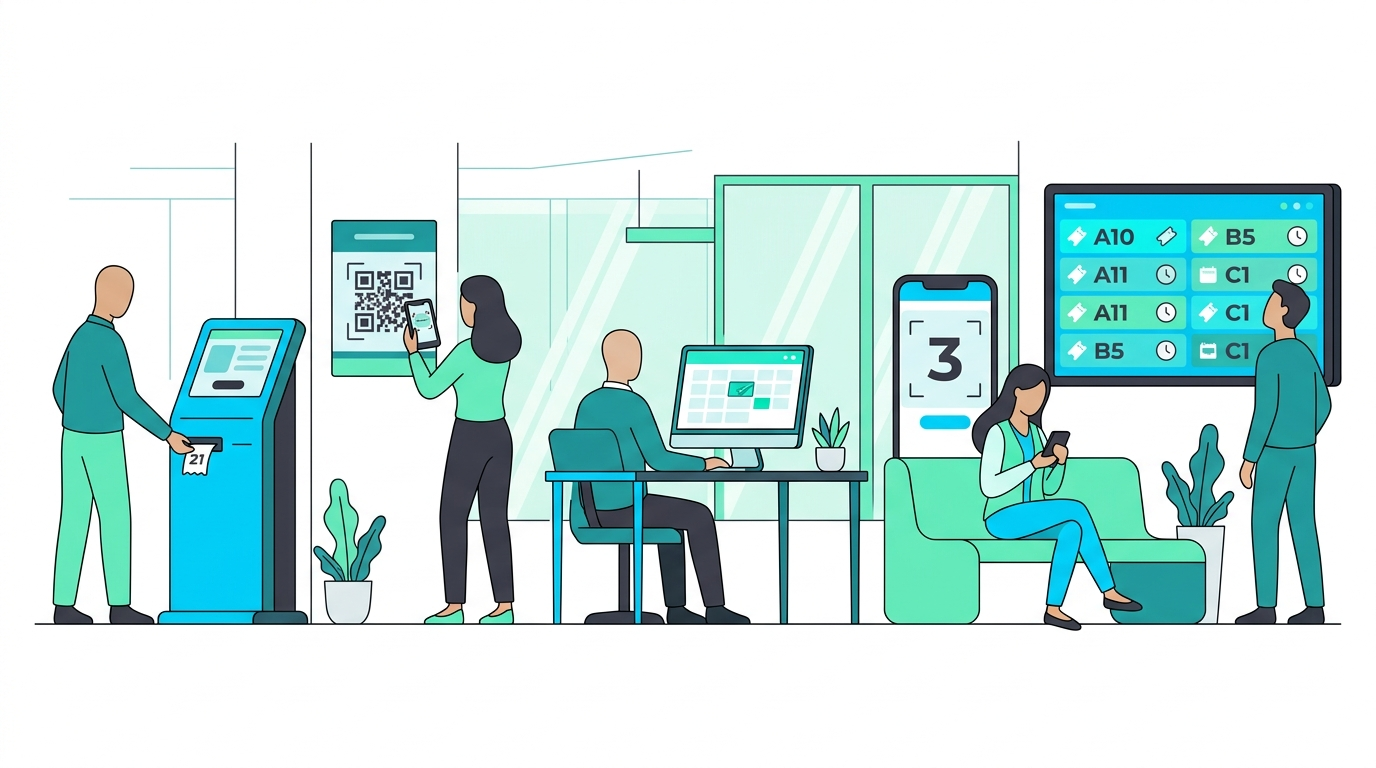
A queue management system (QMS) is software that controls the flow of customers through service environments. It issues tickets, routes customers to the right service type, displays wait time estimates, and feeds data to management dashboards. In multi-branch operations, it also aggregates performance across locations in real time.
For a deeper look at how these systems work, see our guide on what is a queue management system.
Why the Right Choice Matters
A QMS touches every customer interaction. In a branch that handles 400 customers per day, even a 10-minute reduction in average wait time frees up significant capacity. In a network of 50 branches, that impact compounds. The wrong system creates friction at scale: staff workarounds, customer complaints, and reporting gaps that prevent management from identifying where problems originate.
In practice, the difference between a well-chosen system and a poorly chosen one is not visible in a demo environment. It becomes visible six months after go-live, when integration breaks under load or the reporting dashboard cannot answer the questions your operations director is actually asking.
Three Factors That Shape Your Decision
Before evaluating specific vendors, align internally on three variables. These determine which category of system fits your operation and eliminate options that will not survive contact with your real conditions.
1. Volume and Throughput
How many customers does your busiest branch serve per day? Systems designed for 50 customers per day fail at 500. Identify your peak-day volume per branch and your total network volume before shortlisting any vendor.
2. Service Complexity
Do customers need one service type or multiple? Do they need to be routed based on prior history, account type, or language preference? High complexity requires rule-based routing logic. Low complexity works with a simpler linear flow.
3. Customer Arrival Behavior
Do your customers walk in without prior notice, book appointments in advance, or a mix of both? Walk-in-heavy operations need virtual queuing and real-time display systems. Appointment-heavy operations need integration between the scheduler and the queue. Hybrid operations need both.
QMS vs. Appointment Scheduling: Which Do You Need?
These two categories are often confused. Notably, they solve different problems and selecting the wrong one is one of the most common procurement mistakes in this category.
| Capability | Queue Management System | Appointment Scheduling |
|---|---|---|
| Controls walk-in flow | Yes | No |
| Books future service slots | No | Yes |
| Real-time wait display | Yes | Limited |
| Multi-branch analytics | Yes | Varies |
| Handles unplanned demand | Yes | No |
| Staff allocation support | Yes | Partial |
Most multi-branch service operations in banking, government, and healthcare need both. If your operation handles walk-ins and booked appointments simultaneously, look for a platform that manages both from a single system. See how appointment scheduling works alongside queue management.
At a Glance: How to Choose a Queue Management System
- Scalability: Can it handle your busiest day across all branches simultaneously?
- Integration: Does it connect to your existing CRM, ERP, or scheduling tools?
- Reporting: Can managers see real-time and historical data at branch and network level?
- Language support: Does it support Arabic and English natively, including RTL display?
- Multi-channel access: Can customers join the queue remotely, not only at a physical kiosk?
- Vendor reliability: Does the vendor have a proven track record in your industry and region?
The Six Criteria for Choosing a Queue Management System
The following criteria appear in the order that matters for procurement decisions. Use them to structure your vendor evaluation, not just your shortlist.
1. Scalability: Does It Hold Up Under Real Load?
A system that works at one branch may collapse at fifty. When evaluating scalability, the relevant metric is not how many users the system supports in theory. It is how the system performs at peak load across concurrent branches.
Furthermore, scalability is not only about volume. It includes how quickly new branches can be provisioned, how the system handles connectivity loss at remote locations, and whether performance degrades as branch count grows.
- What is your largest active deployment by branch count and daily volume?
- How does the system behave when a branch loses internet connectivity?
- What is the provisioning time to add a new branch?
2. Integration: Will It Work with What You Already Have?
A queue management system that operates in isolation creates a data silo. Additionally, staff are forced to maintain parallel records, and management cannot correlate queue performance with service outcomes stored in other systems.
Before evaluating integration claims, list every system the QMS needs to connect with: CRM, ERP, appointment scheduler, HR system, digital signage. Then ask vendors to demonstrate each integration, not just confirm that it exists.
- Which integrations are native and which require custom development?
- Do you have an open API? Can we see the documentation?
- Have you integrated with [your specific CRM or ERP] before? Can you show a live example?
3. Reporting and Analytics: Can It Answer Your Operational Questions?
Reporting is where most systems reveal their limitations. In practice, every vendor will show you a dashboard during a demo. The question is whether that dashboard can answer the questions your operations director will ask on a Tuesday morning.
The standard questions include: which branches had the longest average wait time last week? Which service types are generating the most no-shows? Which staff members are handling the highest volume, and is that consistent with their allocation? A system that cannot answer these in two clicks is a system that will not get used.
For more on what good operational analytics looks like, see Waqtak’s Analytics and KPIs solution page.
- Can we export raw data to our BI tool?
- Are reports available in real time or only end-of-day?
- Can branch managers see their own data without accessing the full system?

4. Language and Localization: Does It Work for Your Customers?
In GCC markets, language is not a feature. It is a baseline requirement. A queue management system that does not support Arabic natively, including right-to-left display on kiosks, screens, and SMS notifications, will create friction for a significant portion of your customer base.
Moreover, localization extends beyond language. Date formats, calendar systems (Hijri alongside Gregorian), and culturally appropriate service flows all affect whether a system feels native or foreign to your customers and staff.
- Is Arabic support native or a plugin? Can we see a live RTL demo on the kiosk and the dashboard?
- Do SMS and WhatsApp notifications support Arabic?
- Do you support the Hijri calendar for date display?
5. Multi-Channel Access: Can Customers Join Remotely?
Physical kiosks alone are no longer sufficient. Customers expect to join a queue from a website, a mobile app, or a WhatsApp message before they arrive at the branch. A system that requires physical presence to join the queue creates a bottleneck at the entrance and eliminates the pre-arrival information advantage.
Additionally, remote queue joining reduces crowding at the entrance, improves the accuracy of wait time estimates, and allows customers to arrive closer to their actual service time.
- Can customers join the queue via WhatsApp, web, or mobile app?
- Are virtual queue positions updated in real time?
- Can the system send automated notifications when the customer’s turn is approaching?
6. Vendor Reliability: Can They Support You After Go-Live?
The vendor relationship does not end at installation. In a multi-branch environment, a system outage during peak hours affects every branch simultaneously. Your vendor needs a support model that matches the operational importance of the system they are selling you.
In fact, vendor reliability is one of the most underevaluated criteria in QMS procurement. Organizations focus heavily on features and price, then discover that support response times are measured in business days, not hours.
- What is your guaranteed SLA for critical system issues?
- Do you have local support staff in our country?
- Can we speak to a reference customer with a similar branch footprint?
Industry-Specific Requirements When Choosing a Queue Management System
Different industries have requirements that do not appear in a standard feature comparison. When choosing a queue management system for a regulated or high-volume sector, add these to your evaluation criteria.
Government and Public Services
Government service centers often operate across dozens or hundreds of locations with high daily volumes and strict service-level commitments. Priority routing for elderly, disabled, and VIP citizens is a regulatory requirement in many GCC countries, not an optional feature. Reporting must align with government audit standards.
Key requirement: Priority queue routing and audit-ready reporting.
Banking and Financial Services
Banks serve segmented customer bases: retail, SME, and private banking clients require different service paths and different wait time thresholds. Integration with the core banking system for customer identification at the kiosk is a common requirement. Compliance reporting on service levels is frequently required by central bank regulators.
Key requirement: Customer segmentation routing and core banking integration.
Healthcare
Healthcare environments combine appointment-based and walk-in patients, often in the same facility. Triage priority routing is essential. Patient privacy requirements affect how names and ticket numbers are displayed on screens. Integration with EMR systems for check-in and patient identification is increasingly standard.
Key requirement: Triage routing and appointment-plus-walk-in hybrid management.
When a Queue Management System Is Not the Right Solution
Not every service operation needs a full QMS. If you are evaluating one primarily because of a vendor recommendation or a competitor’s deployment, first verify that the problem you are trying to solve is actually a queuing problem.
A QMS is likely not the right solution if your branch serves fewer than 50 customers per day at a single location, if your primary problem is appointment no-shows rather than walk-in overflow, or if your staff already have the bandwidth to manage flow manually without generating customer complaints. In these cases, a simpler scheduling tool may solve the problem without the overhead of a full implementation. See our guide on appointment scheduling to compare options.
Five Common Mistakes When Choosing a Queue Management System
The following mistakes appear consistently across organizations that end up replacing their QMS within two years of purchase. Recognizing them before you begin the selection process is the most reliable way to avoid them.
Most procurement processes begin with a vendor demo. The correct sequence is to document your operational requirements first, then evaluate how each vendor addresses them. Without a requirements document, you are comparing features without knowing which ones matter to your operation.
The lowest-priced system consistently generates the highest total cost of ownership. Implementation overruns, integration failures, and early replacements are more expensive than the price difference between vendors. Evaluate total cost over three years, not license cost alone.
Organizations operating in GCC markets frequently evaluate QMS vendors on global feature sets and discover post-implementation that Arabic support is incomplete, RTL rendering is inconsistent, or SMS templates cannot be customized in Arabic. Verify these requirements with a live demonstration, not a sales confirmation.
Vendor demos run in controlled environments with minimal data and no concurrent users. Request a pilot at your busiest branch for a minimum of four weeks before committing to a full rollout. Performance under real conditions is the only valid test.
The staff who operate the system daily are the ones who will find workarounds if the interface is poor. Involve branch managers and front-desk staff in the evaluation. Their feedback on usability will surface issues that procurement teams cannot identify from feature sheets.

17-Point Checklist for Queue Management System Selection
Use this checklist when choosing a queue management system. Each item should be verified with documentation or a live demonstration, not a verbal confirmation from the vendor’s sales team.
| # | Requirement | Category |
|---|---|---|
| 1 | Handles peak daily volume across all branches simultaneously | Scalability |
| 2 | Operates during internet outages (offline mode) | Scalability |
| 3 | New branches can be provisioned without an on-site vendor visit | Scalability |
| 4 | Native integration with your CRM or core system | Integration |
| 5 | Open API with published documentation | Integration |
| 6 | Integration with appointment scheduling system | Integration |
| 7 | Real-time dashboards visible to branch managers | Reporting |
| 8 | Historical reports exportable to BI tool or Excel | Reporting |
| 9 | Network-level view across all branches from one screen | Reporting |
| 10 | Native Arabic support with RTL on all interfaces | Localization |
| 11 | Arabic SMS and WhatsApp notifications | Localization |
| 12 | Remote queue join via web, app, or WhatsApp | Multi-channel |
| 13 | Automated wait time notifications sent to customers | Multi-channel |
| 14 | Priority routing for VIP, elderly, or high-value customers | Multi-channel |
| 15 | Documented SLA with response time commitments | Vendor |
| 16 | Local support presence in your country | Vendor |
| 17 | Reference customers available with similar branch count and industry | Vendor |
Key Takeaways
- Choosing a queue management system correctly begins with internal alignment on volume, service complexity, and arrival behavior, before any vendor conversations start.
- The six criteria for QMS selection are: scalability, integration, reporting, language support, multi-channel access, and vendor reliability.
- The most common mistake in QMS procurement is selecting based on demo performance rather than real-volume testing at an actual branch.
- Industry-specific requirements in government, banking, and healthcare go beyond the standard feature set and must be verified explicitly, not assumed.
- Use the 17-point checklist when choosing a queue management system to ensure every requirement is verified with a demonstration, not a sales confirmation.
- If your operation serves fewer than 50 customers per day at a single location, a full QMS may not be the right solution. Explore Waqtak’s Queue Management solution to see how it fits your scale.
Frequently Asked Questions
How do you choose a queue management system for a multi-branch operation?
Start by documenting your volume per branch, service complexity, and customer arrival patterns (walk-in, appointment, or hybrid). Then evaluate vendors against six criteria: scalability, integration, reporting, language support, multi-channel access, and vendor reliability. Pilot the shortlisted system at your busiest branch for at least four weeks before committing to a full rollout.
What is the difference between a queue management system and appointment scheduling?
A queue management system controls the real-time flow of walk-in customers. Appointment scheduling books future service slots. Most multi-branch service environments in banking, government, and healthcare need both. If your operation handles walk-ins and booked appointments simultaneously, look for a platform that manages both from a single system.
How long does it take to implement a queue management system?
Implementation timelines vary by deployment size. A single branch can typically go live in two to four weeks. A network of 20 or more branches typically requires three to six months, depending on integration complexity and staff training requirements. Cloud-based systems generally deploy faster than on-premise installations.
What should I ask vendors during a queue management system demo?
Ask vendors to demonstrate performance under load, show a live Arabic RTL interface, walk through the reporting dashboard using real data, and explain what happens during an internet outage. Ask for reference customers with a similar branch count and industry vertical. A vendor that cannot demonstrate any of these live is a vendor that has not deployed at your scale.
What is the average cost of a queue management system?
Pricing varies significantly by vendor model. On-premise systems typically involve upfront hardware and software licensing costs. SaaS platforms charge a monthly or annual subscription per branch. For multi-branch operations, total cost of ownership over three years is a more useful comparison metric than headline license price. You can review user-submitted pricing data on the G2 queue management category page.
Can a queue management system integrate with WhatsApp?
Yes, modern cloud-based queue management systems can integrate with WhatsApp to allow customers to join a virtual queue before arriving at the branch, receive position updates, and get notified when their turn approaches. Verify that the integration supports Arabic-language messages and that it is a native integration rather than a third-party workaround.
Waqtak is a cloud-based queue management system built for multi-branch service organizations.

What Your Operation Loses Without a Queue Management System
Right now, someone is walking into one of your branches. They will look around, figure out where to…

The Benefits of a Queue Management System
A queue management system does two things at once: it organizes your customer flow and generates the data…
Types of Queue Management Systems
There are five main types of queue management systems, each handling customer flow in a different way: Linear…
Want to see how this works in practice?
Book a personalized demo and we will walk you through how Waqtak closes these blind spots for an operation like yours.
Book a Demo