Not every appointment scheduling system solves the same problem. A system built for a freelance consultant and a system built for a regional bank with forty branches share a name but little else. Choosing the wrong one does not produce a minor inconvenience. It produces a system that staff ignore, customers do not use, and managers eventually abandon.
Research from major operations consultancies suggests that service teams with real-time demand visibility consistently outperform those relying on end-of-day reporting alone. In a branch context, the difference is whether the manager adjusts staffing before the rush or after it.
The six criteria below focus specifically on branch operations. Each one separates systems built for this context from systems that vendors adapted for it. If you are still building context on what appointment scheduling is and how it works, start with What is an Appointment Scheduling System for Branches, review the three system types, and read about the operational benefits before using this guide to evaluate vendors.
Your branch is staffed for eight hours. Your customers use two of them.
6 Criteria at a Glance
- Walk-in and appointment queue integration
- Multi-branch management
- Booking channel flexibility
- Reminder and no-show handling
- Reporting and demand visibility
- Implementation timeline and support

1. Walk-In and Appointment Queue Integration
For a branch operation, this is the most important criterion on the list. Most customers will continue arriving as walk-ins, at least initially. If the appointment system runs as a separate track that staff manage independently from the walk-in queue, operations do not simplify. A second system sits on top of an existing one, and staff now maintain two lists instead of one.
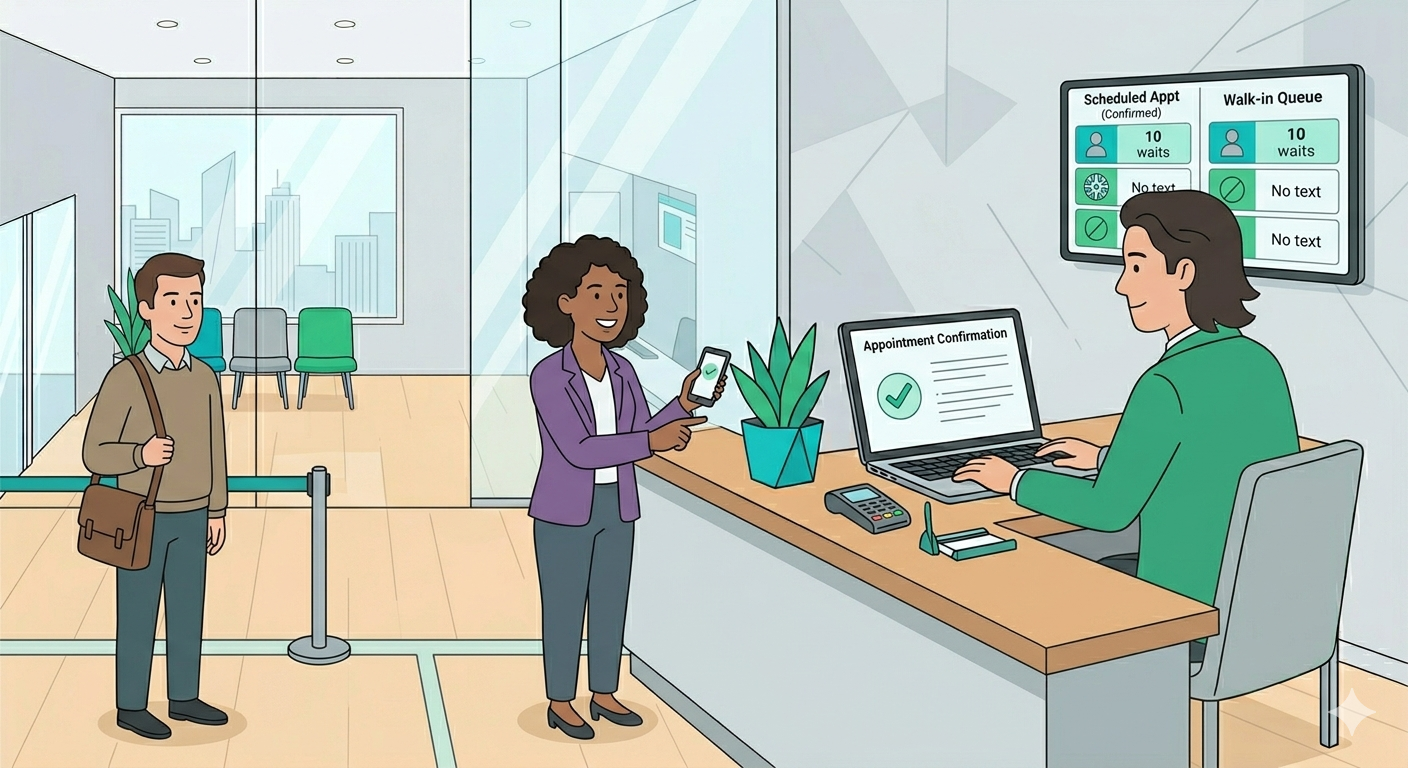
A system built for branch operations merges both customer streams into a single queue. When an appointment holder arrives, the system places him at the correct priority position in the live queue automatically. Walk-in customers join the same queue through the normal process. Staff work from one interface, with no separate screen to check and no manual coordination between streams.
Many systems support appointments and walk-ins as separate functions but do not integrate them into a unified queue. That distinction is not always visible on a marketing page or in a sales call. Ask the vendor to demonstrate this specific workflow during the demo, not after signing.
2. Multi-Branch Management
A regional manager responsible for fifteen branches needs more than fifteen separate installations of a booking tool. He needs one system that treats all branches as entities within a shared structure: a consolidated dashboard, shared configuration controls, and the ability to view any location without switching between accounts.
During the demo, ask the vendor to show the regional management view specifically. Can a regional manager see appointment volume, current wait times, and queue status across all locations from one screen? Can administrators push configuration changes to all branches at once, or does each location require individual setup every time something changes?
Systems built for single-location operators often add multi-location features after the fact. They technically work, but the experience is administrative rather than operational. A system built for multi-branch operations treats the regional view as the primary interface, not a reporting add-on.
3. Booking Channel Flexibility
The demand distribution benefit from appointment scheduling depends on customers actually using the system. If booking requires downloading an app or navigating a desktop website that does not work well on mobile, adoption stays low and the operational benefit does not materialize.
Customers book through whichever channel suits the moment they decide to book. Some will use a link in an SMS. Others will open a web browser on their phone. Still others will book at a kiosk inside the branch lobby before leaving. A system that supports multiple channels removes the friction that limits adoption.
Ask the vendor which channels come standard and which require additional configuration or cost. Also ask how the confirmation reaches the customer: does it arrive by SMS, email, or both, and can the customer cancel or reschedule through the same channel without calling the branch?
4. Reminder and No-Show Handling
Appointment systems without automated reminders generate no-show rates that undermine the reliability of the schedule. A slot sitting empty because a customer forgot is worse than not having appointments at all: that slot could have served a walk-in customer who was present and waiting.
Automated reminders reduce no-show rates significantly. More important is what happens when a no-show occurs anyway. In a system with proper queue integration, the slot releases automatically and the walk-in queue absorbs the capacity without any staff action. Without that integration, staff must notice the gap, decide what to do, and manually update the queue every time it happens.
Ask specifically what the no-show workflow looks like. The answer reveals whether the system treats no-shows as a routine operational event with a built-in response, or as an exception that staff must handle manually each time.
5. Reporting and Demand Visibility
The predictability benefit from appointment scheduling requires useful reporting. Data that managers cannot act on, or reports that need manual export and interpretation, do not produce the operational advantage in practice.
There are two levels of reporting that matter. The first is daily visibility: what does the branch manager see before the day starts? He should see how many appointments are booked, at what times, and for which services, in a format that informs staffing without requiring analysis. Trend visibility is the second level: which services draw the most bookings, at what times does demand concentrate, and which branches show the lowest adoption rates across weeks and months?
Ask the vendor to show you both views during the demo. The daily view reveals whether the system produces actionable morning information. The trend view reveals whether the data improves planning over time.
6. Implementation Timeline and Support
A system that takes six months to deploy across multiple branches and requires dedicated IT involvement at each location is not equivalent to a system that goes live in two weeks on existing hardware. Both may list the same features on paper. The difference only surfaces during deployment, not during the demo.
Ask for a realistic deployment timeline for an operation of your size. Specifically: how many branches can go live in the first month, and what does the vendor handle versus what your team provides? Also ask what support looks like after go-live. A dedicated contact is different from a shared ticketing system, and that difference matters when something breaks on a busy morning.
For multi-branch operations, implementation quality determines whether the system gets adopted beyond the pilot. Spend as much time on this criterion as on the feature evaluation.
Common Mistakes When Choosing an Appointment Scheduling System
Choosing a system without testing the unified queue
The most common mistake in this category. A system that manages appointments and walk-ins as two separate lists looks functional in a demo but creates daily friction on the service floor. Always ask the vendor to demonstrate the unified queue workflow before signing.
Evaluating on feature count instead of operational fit
A system with forty features, thirty-five of which do not apply to branch operations, is not more valuable than a system with eight features that solve your actual problem. Evaluate against the criteria that matter for your specific context, not a general feature checklist.
Running the pilot on a single branch
Single-branch pilots do not surface multi-branch problems. Configuration management, regional reporting, and cross-location visibility only reveal their gaps when more than one branch runs simultaneously. Where possible, pilot on two or three branches in parallel to get an accurate read on how the system behaves at scale.
Treating implementation timeline as an afterthought
A six-month deployment and a two-week deployment are not equivalent, even if the features match. Delays affect staff readiness, customer communication, and the return on investment timeline. Ask about deployment before asking about pricing.
Appointment Scheduling System Evaluation Checklist
| Criterion | Vendor A | Vendor B | Vendor C |
|---|---|---|---|
| Queue Integration | |||
| Appointments and walk-ins share one live queue | |||
| System assigns queue position automatically on arrival | |||
| Staff manage both customer types from one interface | |||
| Multi-Branch Management | |||
| All branches visible from one dashboard | |||
| Configuration changes push to all branches at once | |||
| Regional performance comparison across all locations | |||
| Booking Channels | |||
| Web booking without app download required | |||
| SMS booking supported in standard package | |||
| Customer can cancel and reschedule without calling | |||
| Reminders and No-Shows | |||
| Automated reminders sent before appointment | |||
| No-show slots release automatically without staff action | |||
| Reporting | |||
| Manager sees daily schedule before branch opens | |||
| Regional dashboard compares all locations in one view | |||
| Trend data visible across weeks and months | |||
| Implementation | |||
| Multi-branch deployment within a defined timeline | |||
| Vendor handles configuration, not the client IT team | |||
| Dedicated support contact available after go-live | |||
Key Takeaways: How to Choose an Appointment Scheduling System
- Walk-in and appointment queue integration is the most critical criterion. A system that manages both streams separately adds complexity rather than removing it.
- Multi-branch management should be a primary feature, not a reporting add-on. Test the regional view during the demo.
- Booking channel flexibility determines adoption. More channels mean more customers use the system, which is what produces the demand distribution benefit.
- Reminder and no-show handling reveals how the system treats operational exceptions. Automatic slot release is the sign of a system built for service-floor contexts.
- Ask for the reporting demo before the feature demo. Data that managers cannot act on does not produce the predictability benefit.
- Implementation timeline is a procurement criterion, not an afterthought. Ask about it before asking about pricing.
A system that meets all six of these criteria was built for branch operations. One that meets two or three was built for something else. The demo will not always make that distinction visible. The questions will.
Queue integration. A system that manages appointments and walk-in customers as two separate lists forces staff to maintain two workflows simultaneously, which creates friction rather than removing it. The most critical capability to verify during any vendor demo is whether appointment holders and walk-in customers share a single live queue, with the system assigning priority positions automatically on arrival.
For a single-location operation with no walk-in traffic, a general booking tool can work. For multi-branch operations where walk-in and appointment customers arrive through the same door, it cannot. Generic booking tools have no concept of a live service queue, no multi-branch management, and no mechanism for distributing walk-in and appointment demand through a single interface. The operational problems they cannot solve are the ones that matter most in a branch context.
At least two, ideally three. Single-branch pilots do not surface multi-branch problems. Configuration management, regional reporting, and cross-location visibility only reveal their gaps when more than one location runs simultaneously. A two or three branch pilot gives you an accurate read on how the system behaves at the scale you actually intend to operate.
It depends on the system type. Purpose-built branch scheduling systems typically deploy within weeks, with the vendor handling configuration. Enterprise CRM-integrated platforms often require months and significant IT involvement on the client side. Ask the vendor for a deployment timeline specific to your branch count before the commercial conversation begins, not after.
Two levels. At the daily level, the branch manager should see how many appointments are booked, at what times, and for which services, before the first customer arrives. At the trend level, regional managers should be able to compare appointment adoption, peak demand patterns, and service distribution across all locations over weeks and months. If the system only produces end-of-day summaries or requires manual data export, the predictability benefit does not materialize in practice.
In a properly integrated system, walk-in customers continue to arrive and join the live queue as before. They are not penalized for not booking. In practice, walk-in wait times tend to fall after appointment scheduling is introduced, because the system draws some of the peak-hour demand into off-peak slots, reducing the intensity of the rush that walk-in customers previously had to compete with.
Waqtak is a cloud-based queue management system built for multi-branch service organizations.

Alawneh Exchange Partners With Waqtak to Take the Wait Out of the Branch Visit
Waqtak and Alawneh Exchange have partnered to bring digital queue and appointment services to Alawneh’s customers across the…

Your Busiest Two Hours Are as Expensive as Your Quietest Six
At 10:30 in the morning, the waiting area is standing room only. Numbers have been called, customers are…

Benefits of Appointment Scheduling for Multi-branch Operations
Most branches run the same pattern every day. The first two hours after opening fill with customers. The…
Want to see how this works in practice?
Book a personalized demo and we will walk you through how Waqtak closes these blind spots for an operation like yours.
Book a Demo